- The core issue: Banks frequently ask for the same documents multiple times because executors submit files without a clear, traceable map connecting the document to the bank’s specific requirement.
- The solution: Implement a focused tracking framework using a Request Map (what they asked for) and a Document Map (what you sent and when).
- Isolate the noise: Keep your bank communications completely separate from your general estate paperwork to prevent sending unnecessary, confusing files.
- Strategic follow-up: Stop calling to ask “what is the status?” and start calling with specific case numbers, dates, and names to hold the bank’s back-office accountable.
The Trap of the Endless Bank Request Loop
If you are managing an estate right now, you have likely run into the specific, exhausting frustration of the bank paperwork loop. You wait on hold for forty minutes, you carefully write down a list of required items, you scan them, you send them in. Then, two weeks later, a completely different representative sends you a generic letter stating that you are missing a document you are absolutely certain you already provided.
In my day-to-day admin work, I see this happen constantly. It is one of the fastest ways for a well-meaning executor to feel utterly defeated. The natural reaction is to assume the bank is being difficult on purpose or that the representative simply is not paying attention. However, more often than not, the problem comes down to how the information was packaged and tracked on your end.
When you are handling recordkeeping for executor bank requests, you are not just saving files for your own peace of mind. You are actively building a map for a bank employee who is staring at dozens of similar, confusing files every single day. If your submission requires that employee to guess which attachment corresponds to which requirement, your file gets pushed back to the “incomplete” pile.
To break this cycle, you do not need complex legal accounting software. You just need a minimal, disciplined system that logs what was asked for, exactly what you sent, and when you sent it. Let me walk you through the practical tracking habits that can help you regain control of the conversation and force the bank to keep the process moving forward.
Why Banks Keep Asking for the Same Documents
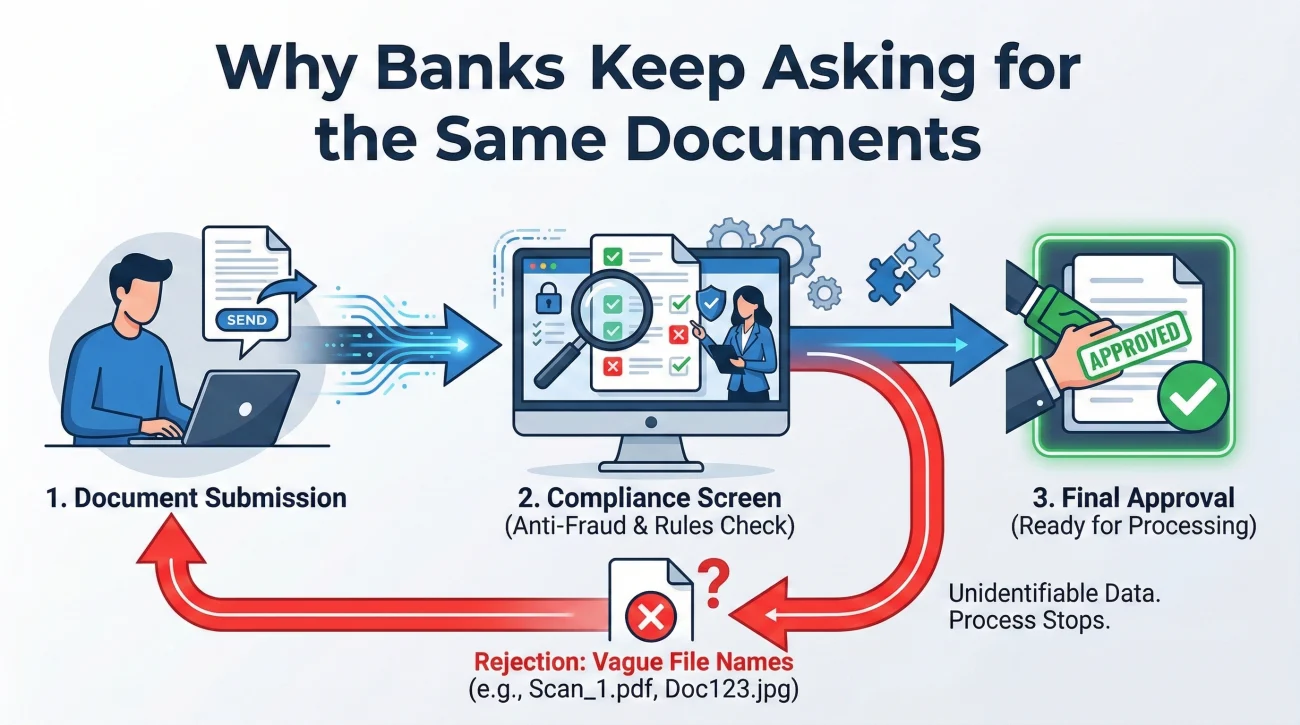
To fix the paperwork loop, we have to look at the process from the bank’s perspective. When a branch employee or a back-office processing team receives a file, they are working against a strict internal compliance screen. They cannot click “approve” until every single box on their screen is satisfied by a specific, legible document.
The most frequent reason for a repeat request is what I call “evidence without a map.” This happens when an executor sends an email with five attachments that have vague, automated names from their scanner.
The bank worker opens the file, looks at the vague attachments, and tries to figure out which one is the proof of identity and which one is the court document. If they cannot quickly connect the dots, or if a scan is cut off at the margins, they simply reject the submission. They will then use standard form letters to notify you of the rejection, which usually just say “missing documents,” leaving you completely in the dark.
Key Point: Your goal is to make it impossible for the bank reviewer to be confused. Every document you submit should have a clear, obvious purpose that maps directly to the checklist they gave you.
By implementing a structured estate paperwork tracker, you remove the guesswork. You will know the exact date you sent the file, the exact name of the file you sent, and you will have the paper trail to confidently escalate the issue when they claim it is missing.
Isolating the Bank Noise from General Estate Chaos
Before we build the actual tracking framework, we need to address how you are storing information. As an executor, you are juggling multiple fires at once. You are tracking down heirs, securing physical property, dealing with the post office, and sorting through medical bills.
A common mistake is throwing bank correspondence into the exact same folder as the utility bills and the funeral home receipts. When you blend these responsibilities, you create a chaotic master file. Then, when the bank asks for proof of authority, you end up digging through a mountain of unrelated paperwork, which increases the chance of sending the wrong document version.
⚠️ Warning: This system is strictly your bank-facing map. It is not a guide on formal probate court accounting. Court accounting requires chronological ledgers of every penny, which goes far beyond what a bank needs to simply verify your identity and open an account.
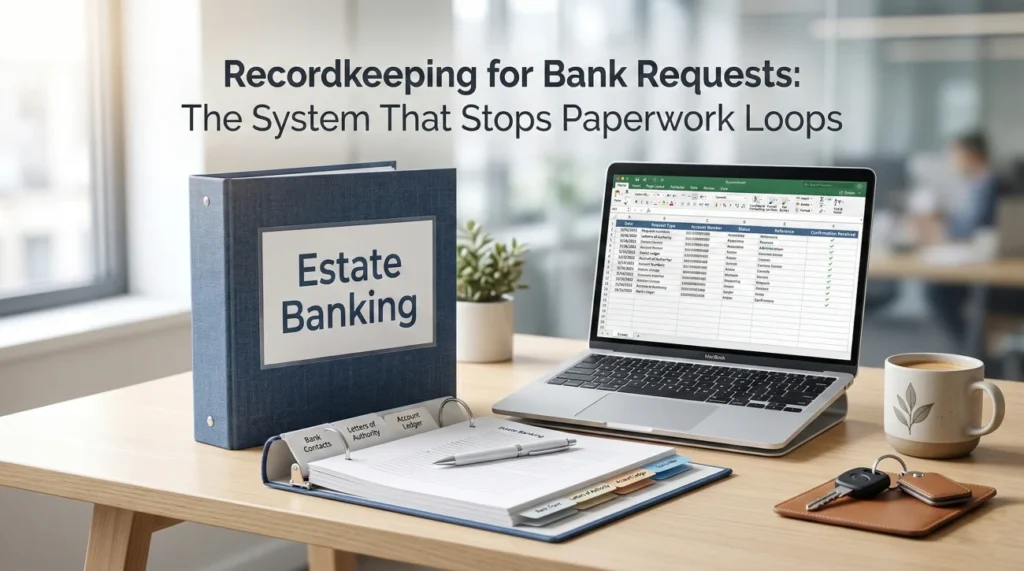
You need to isolate your banking tasks. Create a dedicated physical binder and a dedicated digital folder just for the bank. If you are struggling with organizing the broader, initial wave of estate duties, take a step back and review our comprehensive executor banking checklist to understand the wider landscape. But for the actual submission of paperwork, keep this specific log sharp, separated, and focused.
Part 1: The Request Map (Tracking the Demand)
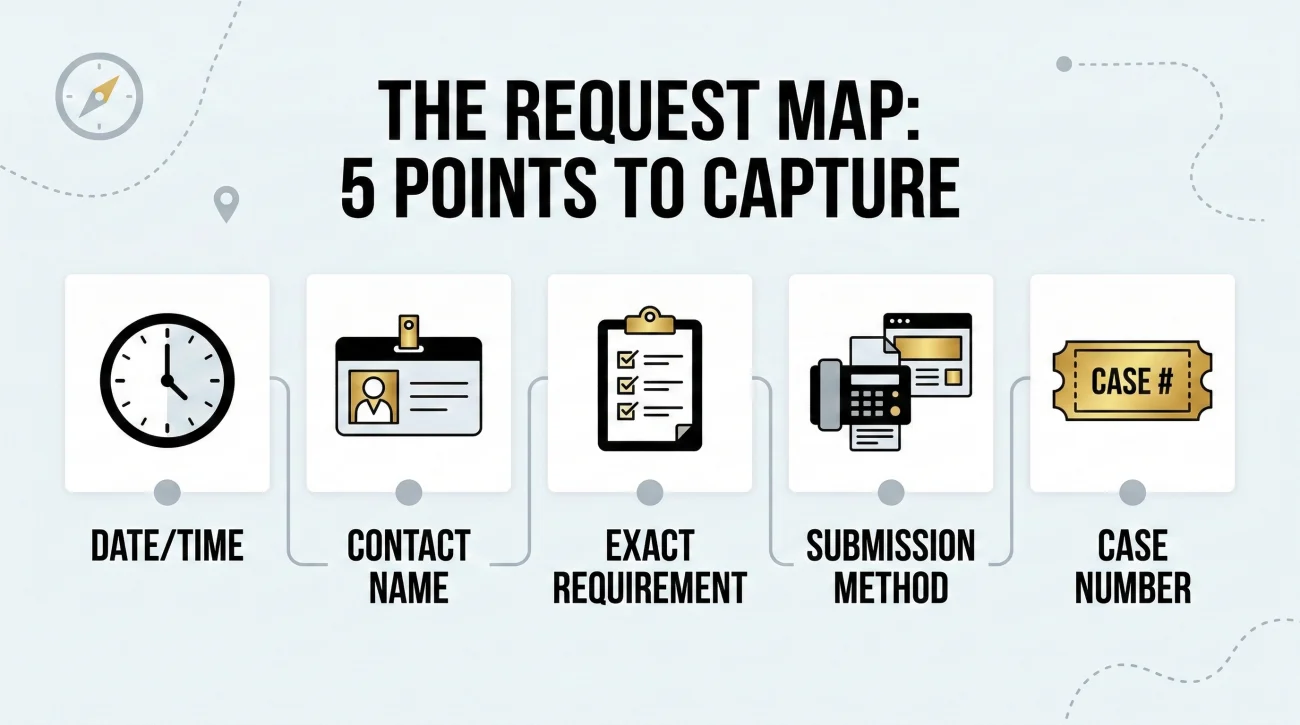
The first pillar of your system is the Request Map. Every time you interact with the bank, whether in person, over the phone, or via secure message, you must log the interaction. Memory is an unreliable tool when you are navigating grief and dealing with multiple financial institutions simultaneously.
Your Request Map can live in a simple notebook or a basic spreadsheet. The medium does not matter, but the consistency does. For every single interaction, you need to capture five data points.
| Data Point | Why You Need It |
|---|---|
| Date & Time | Establishes the timeline for follow-ups and proves exactly when delays occurred. |
| Contact Name & ID | Holds the specific representative accountable and prevents you from starting over. |
| Exact Requirement | What specifically did they ask for? (e.g., “Certified copy of death certificate, not a photocopy”). |
| Submission Method | Did they tell you to fax it, use an online portal, or bring it to a physical branch? |
| Reference/Case Number | The golden ticket. This bypasses the general customer service queue on your next call. |
If you are dealing with three different banks, use a separate page or a separate tab for each institution. Do not mix requests from Bank A with requests from Bank B, as their internal requirements for things like Letters of Authority often differ.
Part 2: The Document Map (Connecting Files to Requests)
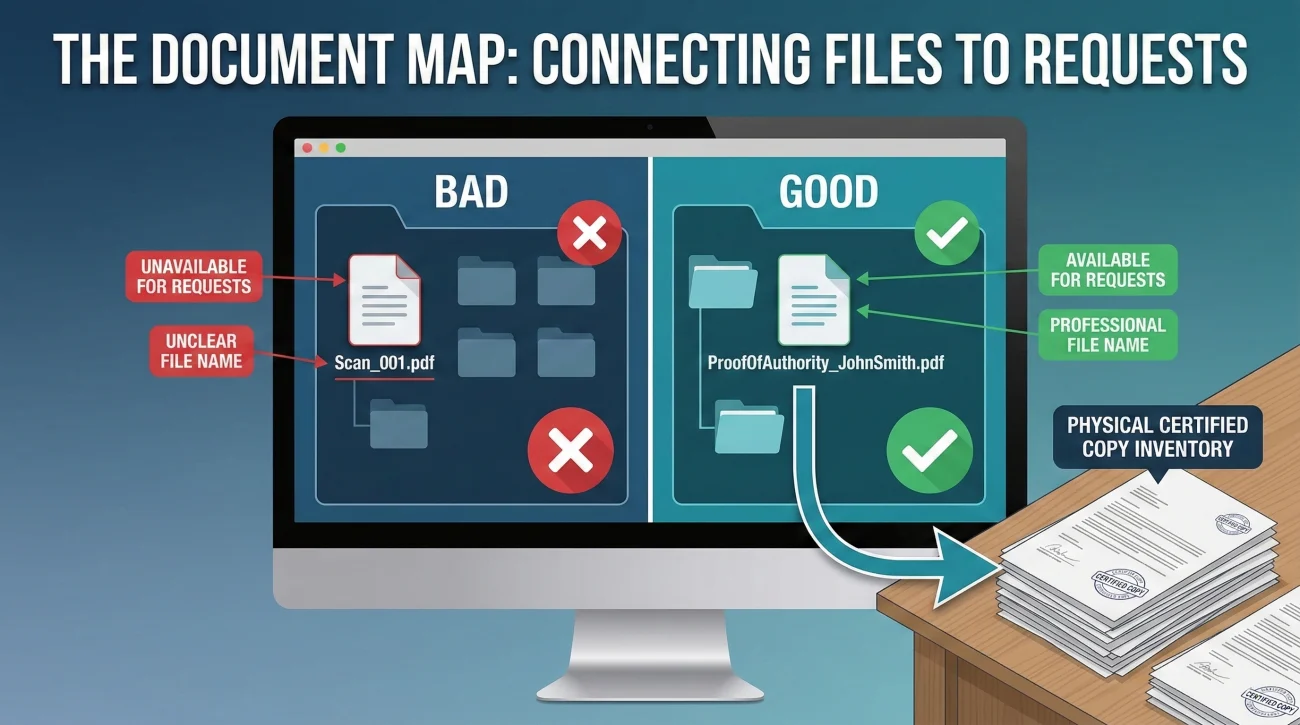
Once you know what the bank wants, you need to organize what you are handing over. This is your Document Map. It acts as an internal index so you know exactly which version of a document you sent to which institution.
Executors usually possess multiple versions of paperwork. You might have a watermarked digital copy of a death certificate, a low-resolution scan on your phone, and a physical certified original. If the bank asks for a clean copy and you accidentally email them the blurry phone picture, you have just bought yourself a two-week delay.
❌ Note: Never rely on your computer’s “Recent Files” folder to attach documents to a bank portal. That is the number one way wrong versions get submitted.
Create a master “Bank Ready” folder on your computer. Inside this folder, keep only the cleanest, most final versions of the documents. Ensure your files are named clearly (for example, ProofOfAuthority_John_Smith_Estate.pdf instead of Scan_001.pdf).
Your Document Map is simply a log linking the file to the Request Map. For example: “Sent file Authority-Doc-Jane-Doe.pdf to Bank X on November 4th via secure upload.” When dealing with physical copies, keep a dedicated accordion folder. If you mail a physical certified copy to a bank, note it in the Document Map so you know exactly how many physical originals you have left in your possession.
Part 3: The Money Map (Keeping Panic Out of the Process)
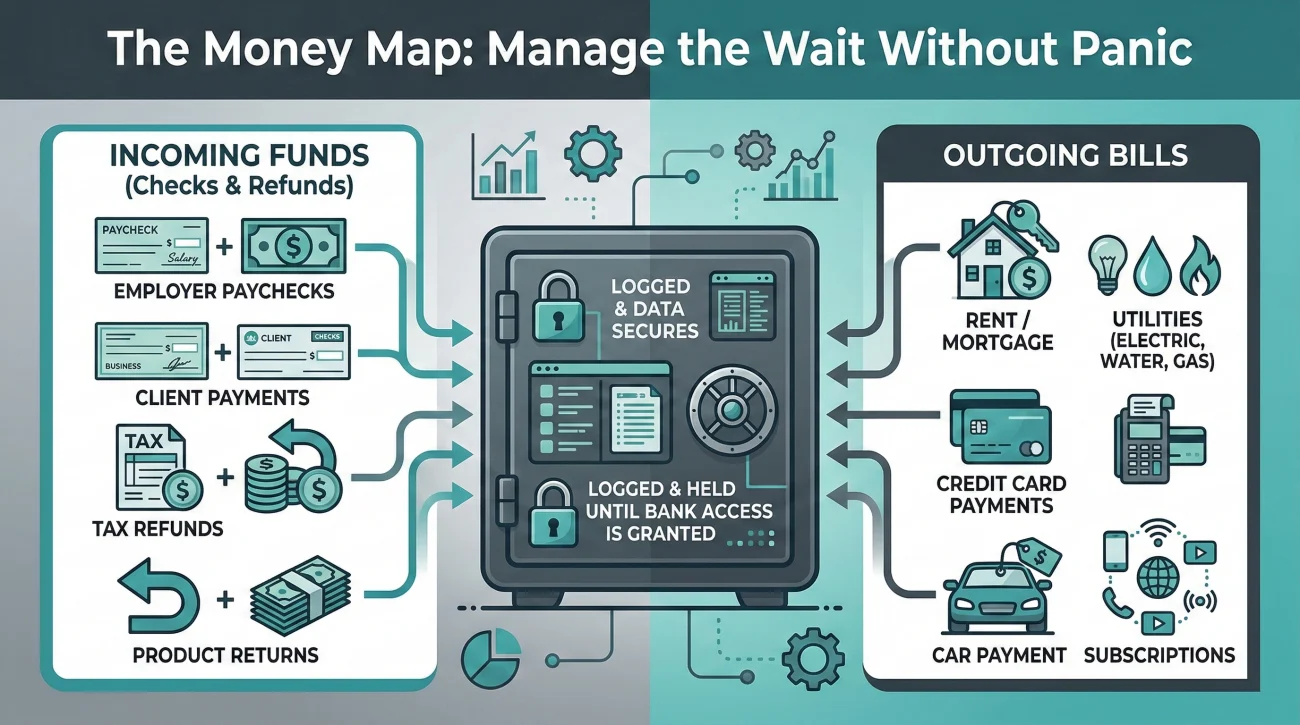
You might be wondering why a paperwork tracking system includes a section on money. The reason is purely operational and communication-based.
While you are waiting for the bank’s back-office to approve your access, financial life continues. Bills arrive. Refund checks made out to the deceased show up in the mail. When an executor loses track of these pending items, they tend to panic. That panic often leads to calling the bank multiple times a week to ask for exceptions (“Can I just deposit this one check today? I have a medical bill due!”).
“Every time you call in a panic to bypass the process, you risk generating a new, confusing ticket in the bank’s system that can actually slow down your original document review.”
To prevent this, maintain a high-level Money Map. This is just a holding pen for information while you wait. If a check arrives, log the date, issuer, and amount, and put the physical check in a safe drawer. If a bill arrives, log it.
Knowing exactly where the pending funds and bills are keeps you calm. It allows you to protect your bank request log executor system by ensuring that when you do call the bank, you are only talking about the required paperwork and the case status, rather than muddying the waters with specific transactional requests they cannot fulfill yet.
A Working Example: Tying the Map Together
Let’s look at how this system functions in reality. Imagine you need to submit authority documents to a regional branch. You use your system to prevent repeat requests bank tellers might otherwise trigger through sloppy internal routing.
Step 1: The Request
You call the bank on Tuesday. You log the date, the time (10:15 AM), and the representative’s name (Marcus, ID #8842). Marcus states they need proof of death and proof of your authority, and gives you a fax number and a Case ID.
My Script to the Representative:
“Thank you, Marcus. Just so my records are perfectly clear, you need the Death Certificate and the Court Appointment document, and I should fax those to the number provided, referencing Case #998877. Is there a specific cover sheet I need to use, or any other document required at this exact stage?”
Step 2: The Preparation
You open your “Bank Ready” folder. You select the clean, clearly named PDF of the court document and the clear scan of the death certificate. You create a simple cover sheet that includes the Case ID, the deceased’s name, your contact info, and a bulleted list of the exactly two documents attached.
Step 3: Execution and Logging
You send the fax. You immediately log the confirmation sheet into your Document Map. You now have a closed loop. If Marcus’s department claims they never received it, you aren’t guessing. You have the date, time, case number, representative name, list of exact file names sent, and the fax confirmation. That is how you stop the endless loop.
Follow-Up Scripts and Escalation
Even with perfect preparation, banks will still sometimes drop the ball. A critical part of executor packet organization is knowing how to use your tracked data to escalate the issue effectively without losing your temper.
When you call to follow up after an appropriate waiting period (usually 5 to 7 business days), do not ask a general question. Use your Request Map to guide the conversation.
“Hi, I’m calling to see if you got the paperwork I sent last week for my father’s account.”
“Hello, I am calling regarding Estate Case #998877. On October 12th, I submitted the two requested documents via the online portal as instructed by representative Marcus. I am calling to confirm they have been reviewed and approved.”
If the representative says the documents are missing, rely on your Document Map to push back politely but firmly.
Escalation Script:
“I understand your screen shows them as missing. However, my records show they were successfully uploaded to the portal at 10:30 AM on October 12th under the file names ‘ProofOfAuthority_Smith.pdf’ and ‘DeathCert_Smith.pdf’. Could you please check the back-office portal history, or escalate this to a supervisor who can locate the submission connected to Case #998877?”
By providing the exact file names and timestamps, you shift the burden of proof back to the bank. You demonstrate that you are organized and tracking their internal failures, which usually prompts them to look harder rather than giving you a standard dismissal.
What to Avoid Saving or Sharing
While maintaining a robust tracking system is vital, knowing what to leave out is just as important. Over-sharing can create compliance hurdles or trigger unnecessary internal legal reviews at the bank.
First, avoid the “kitchen sink” approach. You might be tempted to scan every possible estate document into one massive 50-page PDF, but this almost guarantees a delay, especially with online-only banks. Bank representatives are usually only authorized to look for specific documents at specific stages. Only provide the exact documents requested for the specific step you are currently on.
Second, never send the full Will unless the bank specifically requests it in writing. In many cases, if you have official court authority documents, the bank does not need to read the Will. The Will contains personal family details and specific bequests that are entirely irrelevant to transferring a checking account balance.
Third, be incredibly cautious with how you transmit sensitive numbers. Your document map should never contain full Social Security Numbers or passwords. If you must track an account number in your log, use only the last four digits.
Finally, ensure your written communication remains strictly factual. Avoid venting or adding emotional commentary about delays in your correspondence, as this becomes part of the permanent file and can trigger unnecessary legal scrutiny rather than faster processing.
Final Thoughts on Taking Back Control
Navigating the administrative side of an estate is rarely intuitive. Banks operate on strict, risk-averse protocols, and their customer service structures are designed to protect the institution, not to provide you with compassionate flexibility.
The fastest way out of the paperwork maze is to stop reacting and start tracking. When you implement a Request Map and a Document Map, you stop being a stressed executor who is at the mercy of the next phone representative. Instead, you become a structured administrator holding a clear paper trail.
You might not be able to force a bank to work faster, but you can absolutely eliminate the excuses they use to slow you down. By sending clean, targeted files and following up with precise data, you shift the leverage back to your side of the desk, putting you one step closer to finalizing the estate’s financial matters.
❓ FAQ
🏢 How do I handle tracking requests when dealing with five different banks?
Keep a master index but dedicate a separate page or tab for each institution. Never assume that a document accepted by one bank will be accepted in the exact same format by another.
💻 An online-only bank portal won’t accept my file format. What do I track?
Take a screenshot of the error message. Log the date, the exact file format you tried to upload, and contact their support desk with the error code to request an alternative secure upload link.
⏱️ How many days should I wait before escalating a “still reviewing” status?
A standard review takes 5 to 7 business days. If you pass day 10 with no update, it is usually appropriate to call, reference your case number, and ask for a firm timeline or a supervisor escalation.
🗄️ How do I track my physical certified copies?
In your Document Map, add a simple “Inventory” column. Start with the number of originals you ordered (e.g., 5). Subtract one every time you physically mail a copy out, so you know exactly when to order more.
🖨️ The bank says my fax was unreadable, but my scanner is fine. What now?
Bank legacy fax machines often distort documents with complex watermarks or dark borders. Rescan your document in black-and-white (not grayscale) at a higher contrast, and log the second attempt.
🧑⚖️ Does the bank need a new copy if my Letters were issued 6 months ago?
Many banks have a “staleness” policy and require court documents certified within the last 60 to 90 days. If they reject your document for being too old, log the policy requirement and request a fresh copy from the court.
📸 Can I just take photos of the documents with my phone?
It is highly recommended to use a real scanner or a dedicated scanner app. Raw phone photos often have shadows, warped edges, and non-standard file sizes that cause automated bank portals to automatically reject them.
📬 What if the branch manager promises to handle it but nothing happens?
Branch managers often have to send files to a separate back-office. Always ask the manager for the internal tracking number before you leave the branch, and log their name so you can follow up directly with them.
🔒 Is it safe to use a cloud drive to store this map?
It is generally safe for the tracking log itself (dates, names, case numbers). However, do not store unencrypted PDFs containing full Social Security Numbers or account numbers on unsecured, public-facing cloud folders.
💬 Should I record my phone calls with the bank?
Wiretapping laws vary significantly by state. Instead of recording audio, rely on contemporaneous written notes in your Request Map. Telling a representative “I am logging this case number in my file right now” is usually just as effective.
⚠️ Disclosure: I'm not an attorney and nothing on this site is legal or tax advice. The content covers process, organization, and workflow—the operational side of estate administration. For legal interpretation, jurisdiction-specific deadlines, contested situations, or tax matters, please work with a licensed professional in your state.