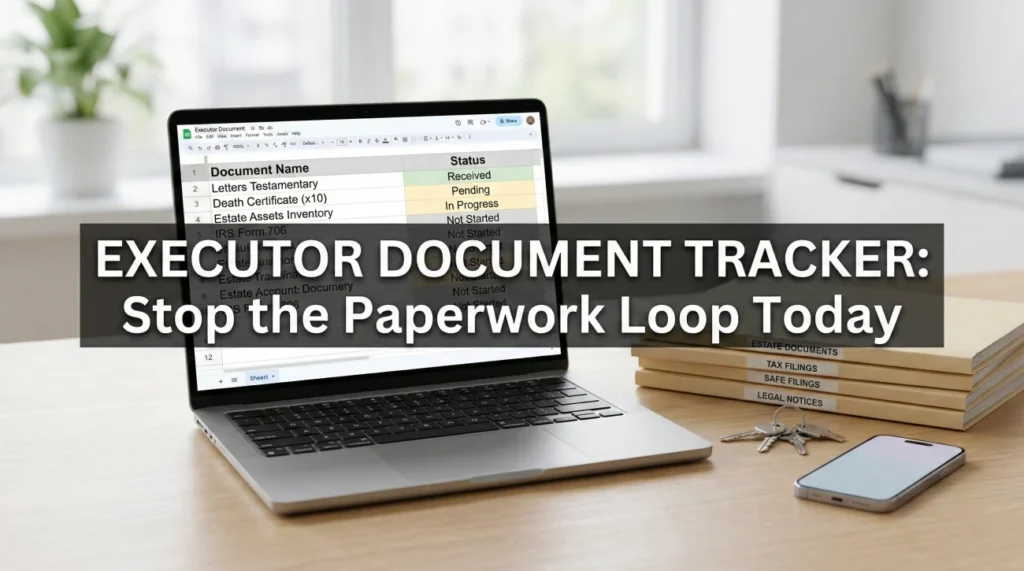
- An executor document tracker records the exact status of every form, letter, and certificate you request or send, preventing the endless loop of “we never received it.”
- This system focuses purely on the movement of paperwork, separating the act of gathering documents from the broader task of listing estate assets.
- Using a structured log with specific columns (Request, Purpose, Date, Status, Confirmation) protects your timeline and provides a clear paper trail.
- Standardizing your file naming conventions prevents you from accidentally sending outdated or unverified versions of important forms to institutions.
- Processing speeds vary wildly by institution; having an escalation plan prevents a stalled file from stopping the entire estate administration.
The Silent Drain of Repeated Document Requests
If there is one universal frustration I hear from people managing an estate, it is the feeling of being trapped in a paperwork loop. You wait on hold, you ask what a specific institution needs, you fill out the forms, you mail them in, and then you wait. Three weeks later, you call to check the status, only to hear a polite voice tell you that they have no record of your submission. You are back at square one.
In my experience supporting estate administration workflows, I have seen this exact scenario derail timelines more than almost any other administrative hurdle. The sheer volume of paper generated after someone passes away is staggering. Without a dedicated system to monitor what is going out and what is coming in, things simply vanish into the administrative void. This is where a reliable executor document tracker becomes your most valuable daily tool.
An estate document tracker is not a magical solution that makes institutions process paperwork faster, but it is a powerful defensive mechanism. It organizes your effort so that you never have to guess what you sent or who you spoke to, shifting your posture from anxious waiting to proactive management.
Key Point: Relying on your memory or a disorganized stack of mail is the fastest way to stall an estate. A formal document request tracker creates a permanent record of your efforts and protects you against institutional delays.
Defining the Scope: Document Tracking vs. Asset Tracking
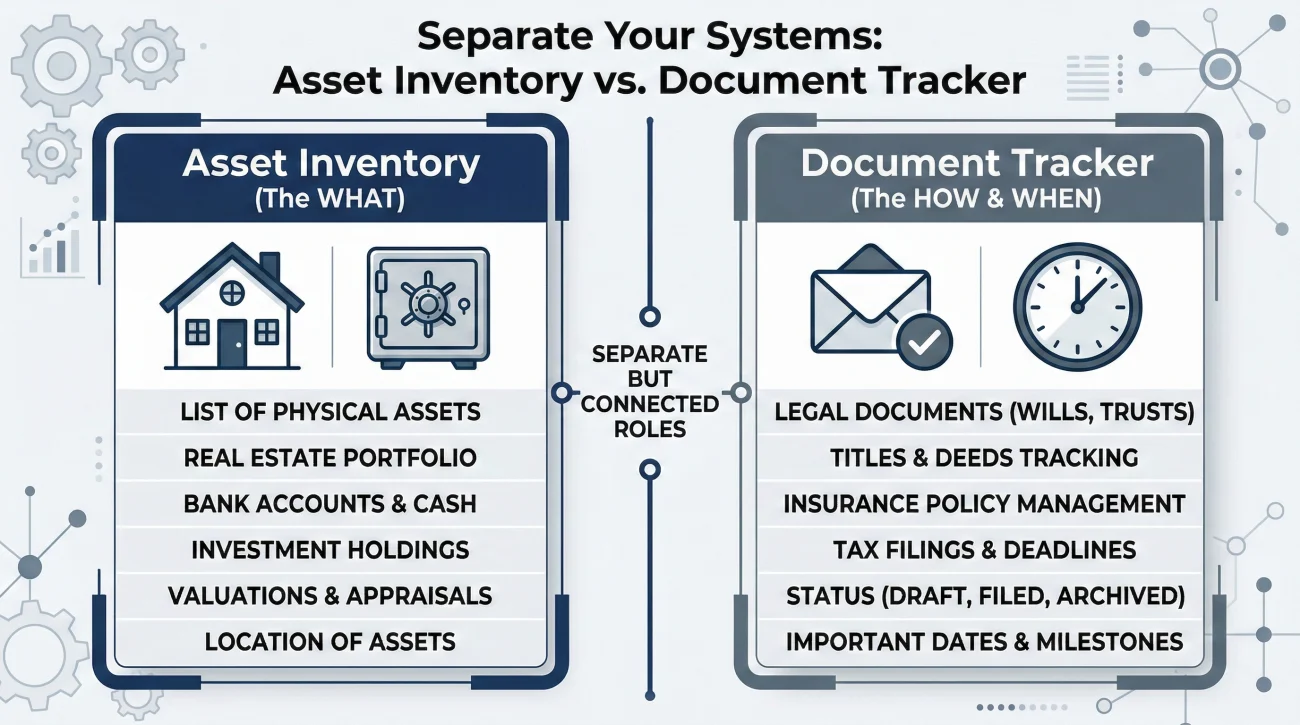
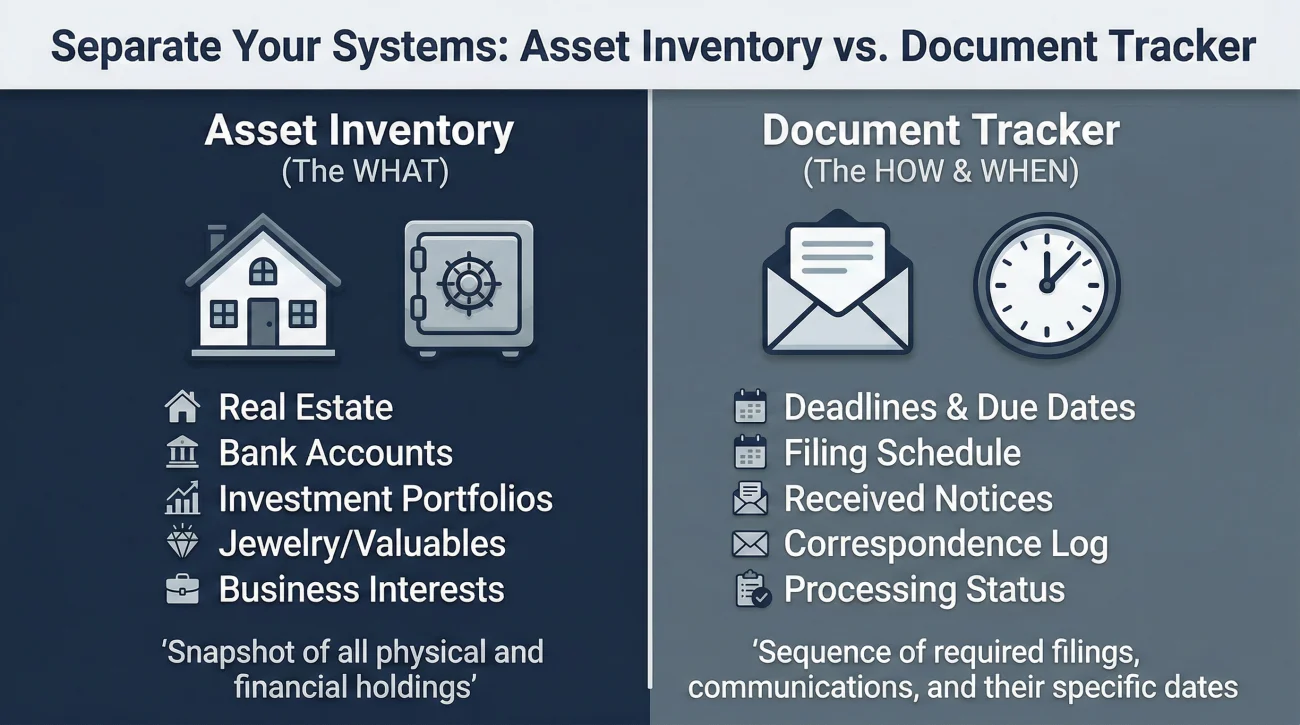
Before we build the log, we need to draw a clear line between two different systems. A common mistake I see is executors trying to use one giant spreadsheet to track the value of a house, the status of a bank account, and whether they mailed a specific affidavit. That approach quickly becomes an unreadable mess.
Your document tracker is strictly about the movement and status of information. It is a log of requests, receipts, and outgoing mail. It is not the place to record the dollar value of a retirement account or the legal description of a property.
- 📄 The Asset Inventory: The master list of what the estate owns (the “what”).
- 📄 The Document Tracker: The log of the paperwork required to prove, claim, or transfer those assets (the “how” and “when”).
By keeping these systems separate, you create a much cleaner workflow. The document log acts as a temporary workspace. Once a piece of paperwork is fully processed and an asset is confirmed, you update your main inventory and close out the row on your document tracker.
Why Paperwork Vanishes (And How Tracking Fixes It)
To understand why we need specific columns in our tracker, it helps to look at where things usually go wrong. In day-to-day admin work, paperwork rarely disappears because of malicious intent. It gets lost in systemic institutional gaps.
First is the “received but incomplete” holding bin. Large financial institutions process thousands of envelopes daily in central scanning facilities. If your cover letter gets separated from the death certificate, or if you forgot to write the estate reference number on every single page, the scanning clerk cannot route it. The file is flagged as incomplete and pushed into a holding queue. Nobody is assigned to call you to fix it. It just sits there silently.
Second is the tiered call center problem. When you call customer service, you usually speak to a tier-one general representative who relies on a standard script. They might tell you that Form A is all you need. You mail Form A. Two weeks later, a specialized estate agent reviews it and realizes that, due to the specific account type, you also needed Form B. The process halts, but you do not find out until you call back.
⚠️ Warning: Never assume that because you mailed a document, it is being actively processed. The burden of confirmation always falls on you.
A good estate paperwork organizer anticipates these operational realities. It forces you to write down who gave you the instructions, what exactly you included in the envelope, and the exact date you need to intervene if the institution stays quiet.
The Core Columns of a Bulletproof Document Log
A functional tracker does not need to be complicated, but it does need to flow logically from request to resolution. Whether you use a digital spreadsheet or a physical notebook, these specific columns will keep your records tight.
1. The Document or Request Name
Be highly specific here. Do not just write “Insurance form.” Write “Claimant Statement Form 104-B.” If you are asking for information, write exactly what you asked for, such as “Request for date of death balance.” Precision prevents you from mixing up dozens of similar-sounding papers.
2. The Purpose or Asset Link
Naming the document is the first step, but you also need to remember why it matters. Six months into this process, you may find an obscure tax form in your files. Note the purpose immediately, such as “To close out primary checking account” or “Required for property insurance renewal.”
3. The Source or Target Institution
Now that you have the ‘what’ and the ‘why’, you need the ‘who’. List the name of the entity you are dealing with. If you have a specific contact person or a dedicated estate department phone number, keep it right here in the log.
4. Dates: Requested, Sent, and Follow-Up
This column is the engine of your tracker. You must log the date you initiated an action. More importantly, you must set a future date for follow up. If I mail a packet on a Tuesday, I will immediately log a follow-up date for ten days later. This prevents the “waiting indefinitely” trap.
5. Current Status
Use clear, standardized terms for the status. I prefer using: Pending Request, Preparing to Send, Sent/Waiting, Received/Confirmed, and Completed. Avoid vague terms like “Working on it” which give you no actionable information.
6. Confirmation and Dialogue Notes
This is where you log the reality of the situation. Write down tracking numbers, the names of representatives you spoke with, and any specific instructions they gave you. If someone tells you a document was rejected, log the exact reason they provided.
The Document Request Tracker Template
Here is a practical look at how these columns come together in a daily workflow. You can copy this structure into any spreadsheet software or draw it in a dedicated notebook.
| Document / Action | Purpose / Target | Date Sent / Req | Status | Follow-Up Date | Notes & Confirmations |
|---|---|---|---|---|---|
| Req: Date of death balance letter | Utility company account closure | Oct 12 | Pending receipt | Oct 26 | Spoke to Agent Mark. He stated it takes 10-14 business days to generate. |
| Sent: Certified Death Cert & Affidavit | Retirement account claim | Oct 15 | Sent / Waiting | Oct 29 | Mailed via certified priority. Tracking #12345. Delivered Oct 18. |
| Req: Property deed copy | County records office | Oct 20 | Completed | N/A | Received digital copy Oct 22. Saved to secure estate folder. |
Notice the power of the notes section. If I have to call the retirement company on October 29th, I do not have to guess when they received my packet. I can start the conversation by saying, “I am calling to check on a packet delivered to your processing center on October 18th, tracking number 12345.” That level of detail commands immediate attention and totally changes the dynamic of the conversation.
File Naming Rules and Version Control
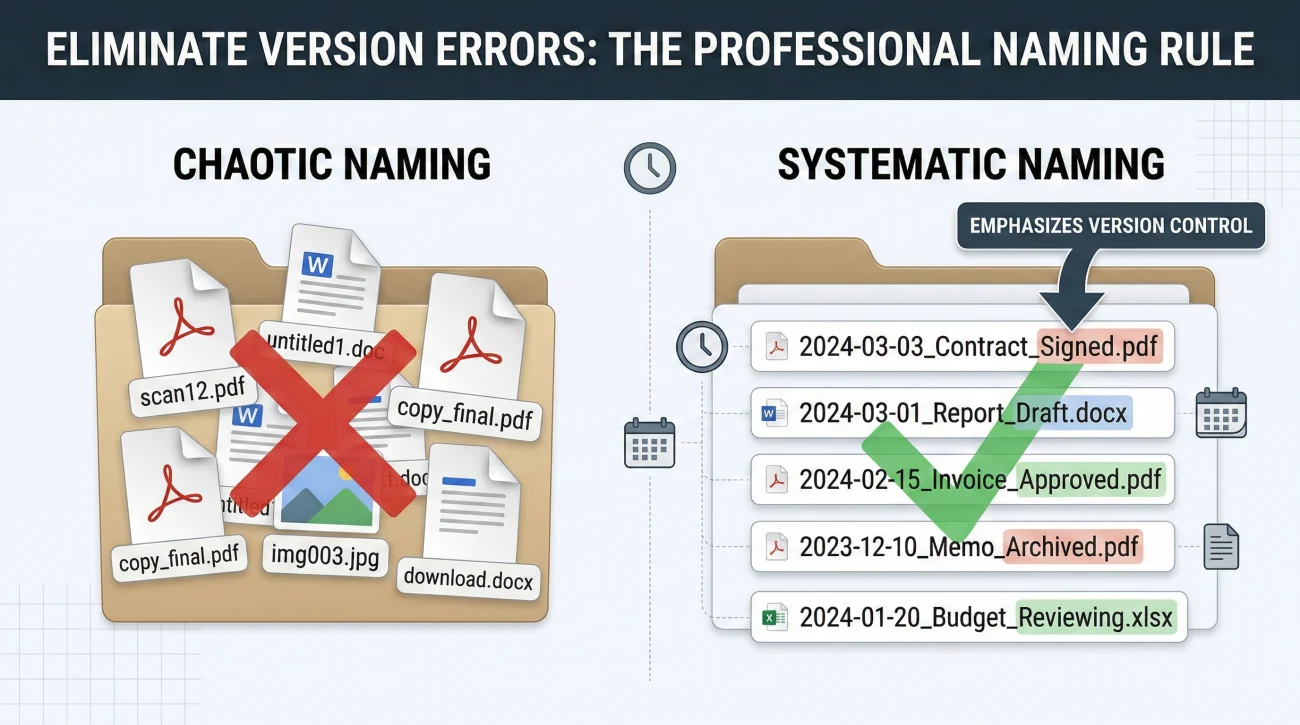
A document tracker is only as good as your physical or digital filing system. If your log says “Sent Affidavit,” but your computer has four different files named “scan1.pdf”, “affidavit.pdf”, “affidavit_new.pdf”, and “affidavit_signed.pdf”, you are setting yourself up for a critical error.
In many cases, I have seen executors accidentally email an unsigned draft of a form to an institution, causing a three-week delay while the institution processes the blank form, rejects it, and sends a notification by physical mail. Strict file naming prevents this.
scan_0045.pdf
form_for_insurance.pdf
death_cert_copy.jpg
2023-10-15_Smith_Death_Certificate_Scan.pdf
2023-11-02_Life_Ins_Claim_Form_BLANK.pdf
2023-11-05_Life_Ins_Claim_Form_SIGNED.pdf
Adopt a simple, uniform naming convention. I usually recommend starting with the date in a standard format (Year-Month-Day), followed by a clear description of the document, and ending with its status (Blank, Draft, or Signed). This ensures your files sort chronologically in your folders and leaves zero doubt about which version is ready to be sent.
💡 Pro Tip: Create a dedicated “Outgoing Packets” folder on your computer. When you finalize a set of documents to email or mail, save a merged copy of exactly what you sent in this folder. Name it with the date and the destination. If they claim a page was missing, you can look at the exact digital duplicate of the packet you mailed.
Realistic Processing Timelines to Expect
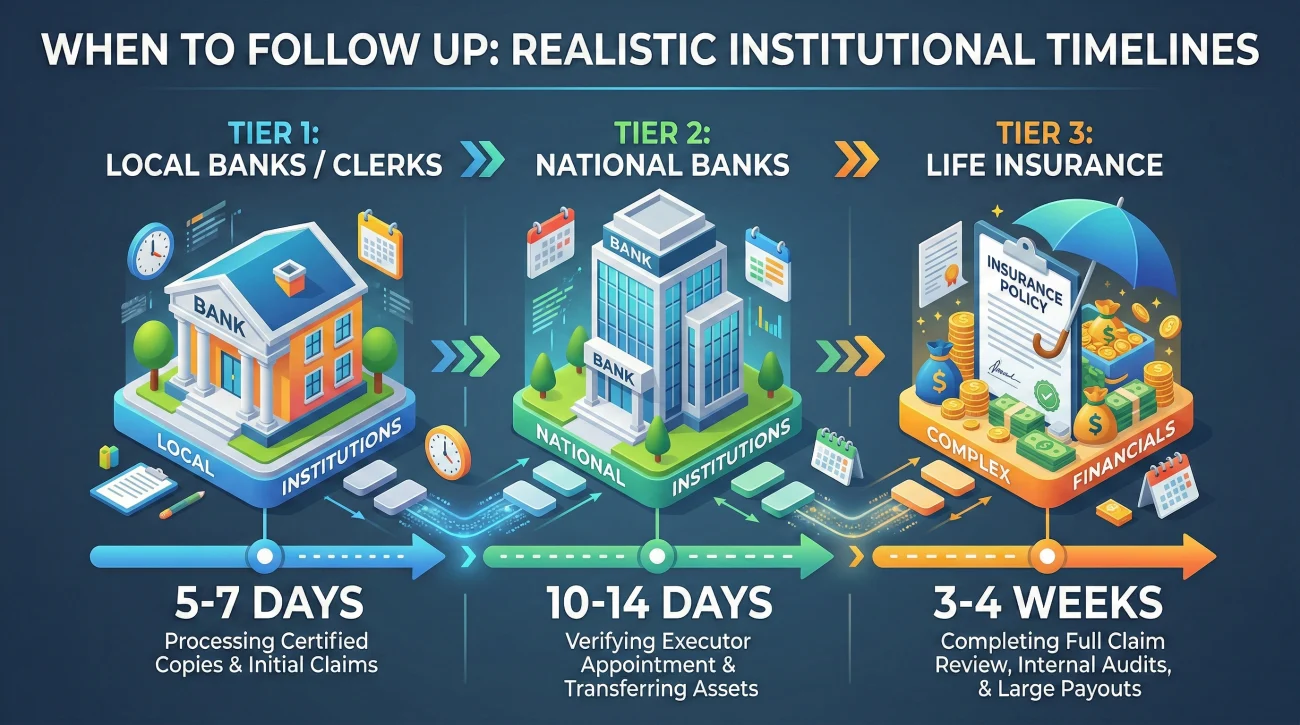
One of the hardest parts of tracking documents is knowing when to be patient and when to push. Setting your follow-up date correctly depends entirely on who you are dealing with. While every organization is different, here is a general operational baseline I see in the field.
Local institutions like regional banks or county clerks are usually the fastest, often processing standard document requests within 5 to 7 business days. Major national banks and brokerages typically operate on a 10 to 14 business day cycle just to scan and review initial paperwork. Life insurance claims often take 3 to 4 weeks once the final packet is received.
By keeping these general timelines in mind, you avoid following up too early (which wastes your time) or waiting too long (which lets your file grow cold).
🔆 Tip: When you make your initial request, always ask the representative for their standard processing time. Log that exact timeframe in your notes column so you have a concrete, realistic deadline for your follow-up.
Knowing these timelines shapes exactly how and when you should communicate with these institutions.
Communication Scripts to Prevent Confusion
How you communicate with institutions directly impacts how clean your document tracker stays. The goal is to always push the institution to provide requirements in writing, rather than relying on a phone call. Verbal instructions are easily misunderstood and cannot be tracked effectively.
Here is a safe, professional script to use when initiating contact. The objective is to establish a written baseline before you send any sensitive paperwork.
Subject: Estate of [Name] – Request for Written Requirements
Hello,
I am the acting representative for the estate of [Name]. I am reaching out to begin the process of updating or closing the accounts associated with the deceased.
Before I send any documentation, could you please reply with a complete, written list of all forms, certificates, and identification requirements needed to process this request?
Please also confirm the exact mailing address or secure digital portal where these items should be submitted.
Thank you for your guidance,
[Your Name]
Once you send those documents out, you enter the waiting phase. When your tracker alerts you that it is time to check in, use this straightforward formula to keep the process moving without sounding aggressive:
Good morning,
On [Date], I mailed the required claim forms and a certified death certificate to your processing center via certified mail. The tracking number [Insert Number] confirms it was delivered on [Date].
Could you please check your system and confirm that the packet has been received and logged into the correct file? Please let me know if any additional information is needed to move forward.
Escalating the Issue When Institutions Go Silent
Despite pristine tracking numbers and polite emails, you will eventually encounter an institution that seems to ignore your paperwork. If you have followed up twice and received vague non-answers, it is time to escalate.
Escalation does not mean threatening legal action; it means changing how you navigate their corporate structure. First, stop talking to general customer service. Request to be transferred specifically to the “Estate Processing” or “Bereavement” department. If they claim no such department exists, ask for a floor supervisor to physically review the intake queue for your tracking number.
If phone calls continue to fail, switch your medium. Send a brief, factual letter detailing the dates of your previous submissions and follow-ups, and mail it via certified mail with signature required. A formal paper trail often forces a stalled file onto a manager’s desk.
Most importantly, treat this escalation as a brand new action. Log the date the certified letter was sent and the new tracking number into your document tracker, and set a strict follow-up date to confirm the signature was captured.
Syncing the Tracker with Co-Executors
If you are managing the estate alongside a co-executor or a family helper, a document tracker saved locally on one person’s laptop is a recipe for disaster. I have seen family members accidentally submit duplicate requests to a bank simply because they did not know the other person had already mailed the forms.
To prevent this, host your document tracker in a secure, shared cloud spreadsheet or a secure cloud storage service. Establish a clear rule: whoever makes a phone call or sends an email must update the shared tracker that same day. This keeps everyone operating from a single source of truth.
Connecting Requests Back to Your Main Inventory
Let’s say you discover a forgotten savings account. You add that account to your primary asset list. At that moment, the status of that asset is “Needs Investigation.” You then switch to your document tracker and log a new action: “Request date of death balance and closure forms from the institution.”
For the next three weeks, all the activity regarding that savings account lives on your document tracker. You log the phone calls, the forms sent, and the follow-ups. Finally, you receive a confirmation letter stating the account is closed and a check has been issued to the estate.
You now take that final confirmation, file the paperwork securely, mark the row on your document tracker as “Completed,” and return to your master list. You can now update the overarching estate asset inventory checklist to reflect that the specific account is officially closed and the funds have been secured.
This rhythm (discover an asset, use the document tracker to manage the paperwork to secure it, and then update the master inventory) is the most reliable workflow I have found for keeping an administration on track.
Your Next Step: Build the Tracker Today
Reading about organization will not clear the paperwork off your desk. The only way to stop the feeling of being overwhelmed is to build your system and start moving data into it.
Your action plan for today is simple: copy the column headers from the template above into a new spreadsheet or notebook. Then, pick just the three most urgent institutions you need to contact this week. Log those three initial requests, set your follow-up dates, and draft your emails. By putting a boundary around the paper trail, you protect your time and keep the estate moving forward steadily.
❓ FAQ
🗂️ How do I start organizing estate paperwork without getting overwhelmed?
Start by separating your papers into two main piles: the master list of assets and the active, pending requests. Build a simple document log to track only the items you are currently waiting on or need to send out. Tackle one institution at a time rather than trying to process everything simultaneously.
📬 What is the best way to track documents I mail to institutions?
Always use a mailing method that provides a tracking number and delivery confirmation, such as certified mail. Immediately log that tracking number into your document tracker alongside the date sent, and set a reminder to check the delivery status within five business days.
💻 Should I use a spreadsheet or paper for my executor document log?
Use whatever format you will consistently update. A digital spreadsheet is often better because you can easily share it with co-executors and copy tracking numbers, but a dedicated, well-ruled notebook works perfectly if you prefer physical writing.
📝 What details exactly need to go into a document request tracker?
At minimum, record the specific name of the document, why you need it, who you sent it to (or requested it from), the date of the action, the current status, and a specific date for your next follow-up. Always leave room for notes regarding phone conversations.
🔄 How long should I wait before following up on a missing document?
If you are waiting for an institution to process a form you sent, 10 to 14 days is a standard window before calling to confirm receipt. If you requested a document from them, follow up in 7 to 10 days unless they specified a longer processing time in writing.
📎 Do I need to keep original documents or are digital copies enough?
Certain documents, like the original will and certified death certificates, must be kept in their original physical form as they are often required for official filings. For standard correspondence, claim forms, and receipts, clear digital copies are usually sufficient for your records.
🚫 What happens if an institution claims they never received my paperwork?
Provide the exact date sent and the tracking number showing delivery. Ask them to check their internal mailroom or digital intake queue. If they still cannot locate it, log the loss as a new entry in your tracker, prepare a second packet, and immediately escalate to a supervisor or use certified mail.
🗣️ How do I politely ask for a written list of required documents?
Send a brief email or letter stating your role and requesting that they reply with a complete, written list of all necessary forms and identification requirements before you begin submitting paperwork. This prevents verbal miscommunications and provides a clear checklist for your files.
🔗 How does my document tracker connect to my main estate inventory?
The document tracker manages the active workflow. Once you receive the final paperwork confirming an asset is closed, transferred, or secured, you update the status on your main inventory list and close out the corresponding row on your document tracker.
🛡️ Are there privacy risks with how I label and store estate files?
Yes. Never include full social security numbers or complete account numbers in the file names of your documents. Keep digital files in a password-protected folder or drive, and ensure physical documents are stored in a secure, locked location away from casual access.
⚠️ Disclosure: I'm not an attorney and nothing on this site is legal or tax advice. The content covers process, organization, and workflow—the operational side of estate administration. For legal interpretation, jurisdiction-specific deadlines, contested situations, or tax matters, please work with a licensed professional in your state.