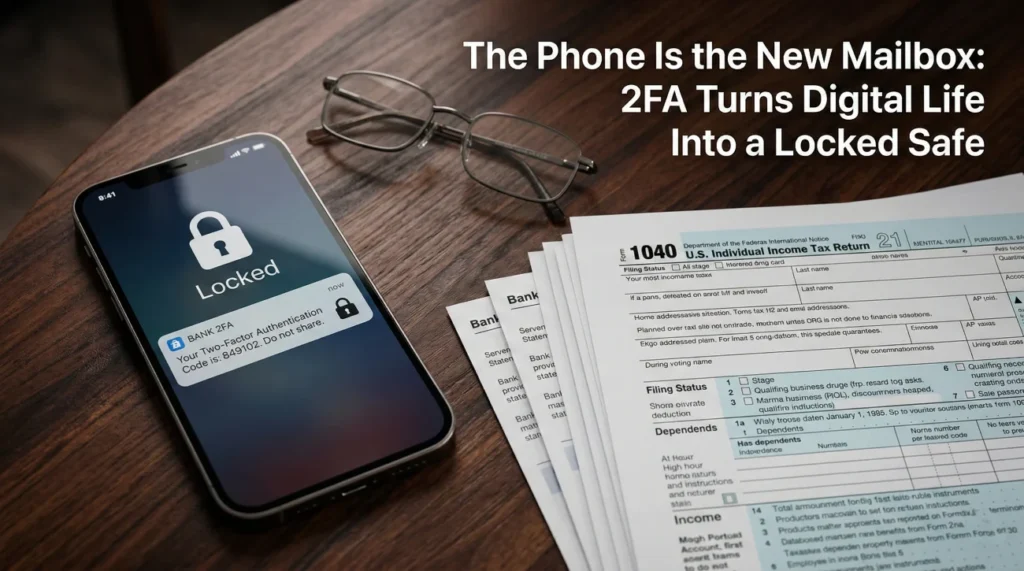
- Two-factor authentication (2FA) turns a locked smartphone into a brick wall, making it impossible to see the daily financial mail that used to arrive in a physical mailbox.
- Do not try to guess passwords or bypass phone locks. Your primary job is to build an inventory of what exists, not to hack into accounts.
- Keep the deceased person’s mobile phone plan active. That phone number is the master key for official recovery processes later on.
- Look for “proof trails” in traditional places: bank statements showing cloud storage fees, tax returns detailing online brokerages, and physical mail.
The Mailbox is Empty, But the Phone Keeps Buzzing
I often talk to executors who are sitting at a dining room table surrounded by a few stray pieces of physical mail, feeling completely stuck. They know the person who passed away managed everything online. They can see the smartphone lighting up with notifications on the table. But the screen is locked, the passcode is unknown, and suddenly, the entire estate feels inaccessible.
Ten years ago, an executor could sit back and wait for the mail carrier to deliver bank statements, utility bills, and tax documents. Today, the physical mailbox is mostly junk mail. The real mailbox is the smartphone. And because of two-factor authentication, navigating the maze of 2FA, executor digital assets, and locked devices has become one of the most stressful parts of estate administration.
When you are in this situation, it is easy to panic. You might feel a strong urge to guess the PIN, try to use FaceID, or find a workaround to log in. In my experience, treating this as an “access problem” right away usually leads to permanent lockouts. Instead, I always advise executors to step back and treat this as an “inventory problem.” You do not need to get inside the phone today. You just need to figure out what the phone is protecting.
The Expectation Gap: Why Everyone is Unprepared for Digital Lockouts
If you feel totally caught off guard by the digital walls you are facing, you are in the majority. It is a known systemic issue. We have spent the last decade securing our digital lives to keep hackers out, but those same security measures do not know when the owner has passed away. They treat you, the authorized executor, exactly like an intruder.
The numbers back up this frustration. According to a recent survey by Bryn Mawr Trust, while 79 percent of people believe protecting digital assets is important, only 29 percent actually feel knowledgeable about how to do it. Furthermore, among people who use financial advisors, industry analysis shows less than half have ever discussed digital assets with their professional team.
What this means for you is simple: the person you are helping likely did not leave a master list because they did not know how. The institutions you are calling are strictly following security protocols because their systems demand a court document, not just a phone call. The friction you are feeling is not because you are doing a bad job. The system is simply not built for an easy transition. When you realize the system treats you as a stranger until proven otherwise, the best thing you can do is change your approach to play by their rules.
Key Point: Do not take the institutional roadblocks personally. Customer service representatives cannot bypass 2FA for you because their software will not allow them to. Your path forward requires a paper trail, not a technical workaround.
Reframe the Goal: Inventory First, Access Later
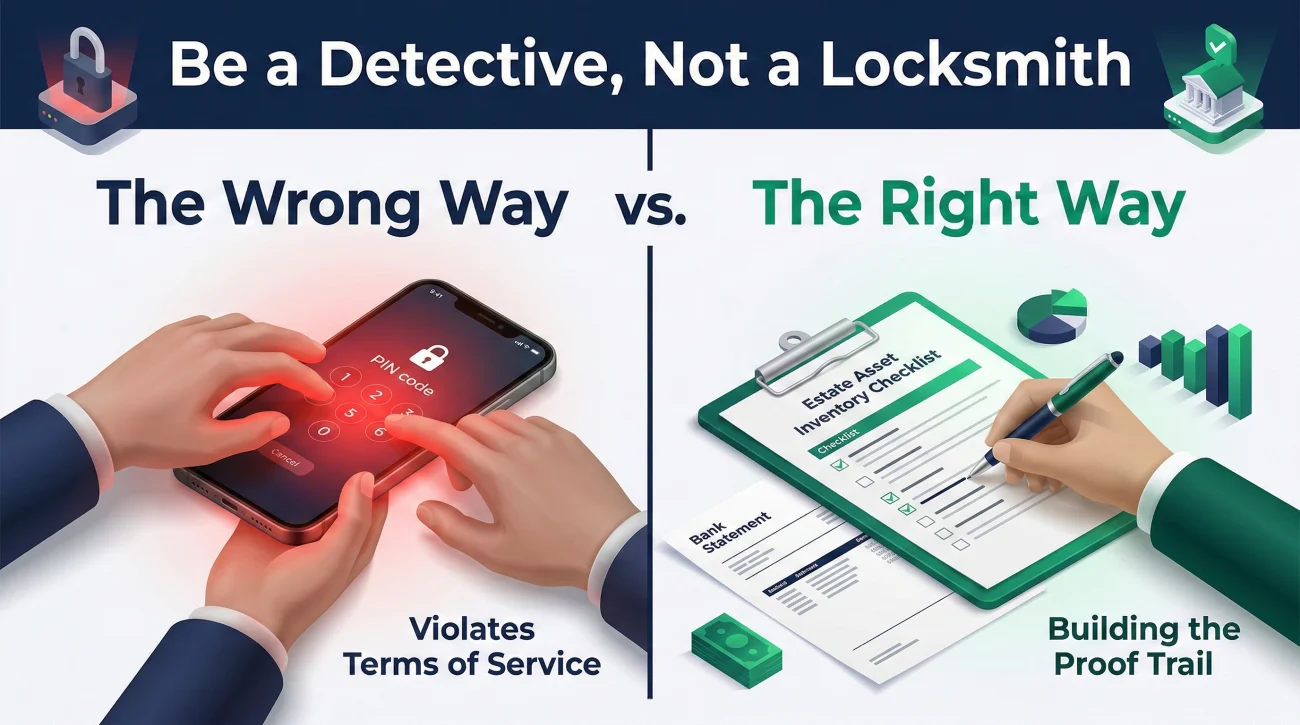
The biggest mistake I see executors make in week one is acting like a hacker. They try entering birth dates into the phone, or they find an old password notebook and try logging into banking portals as the deceased person. I strongly advise against this.
Logging into someone else’s account using their credentials is a violation of Terms of Service. If an institution detects a login from an unrecognized device after a date of death has been reported, they will often freeze the account entirely for fraud prevention. That creates a massive administrative headache that can take months to resolve.
Fixating on how to unlock the smartphone sitting on the table.
Treating the phone as a sealed box and systematically looking for the paper trails it left behind in the real world.
Your job right now is to discover what exists. You are a detective, not a locksmith. You need to build a comprehensive list of assets to include in your estate asset inventory checklist. Once you have the list, you will use your official authority documents to gain legal access.
How to Find the Proof Trails Without Logging In
Even the most paperless individuals leave a paper trail. You just have to know where to look. Before you start calling random banks, work through these specific discovery layers.
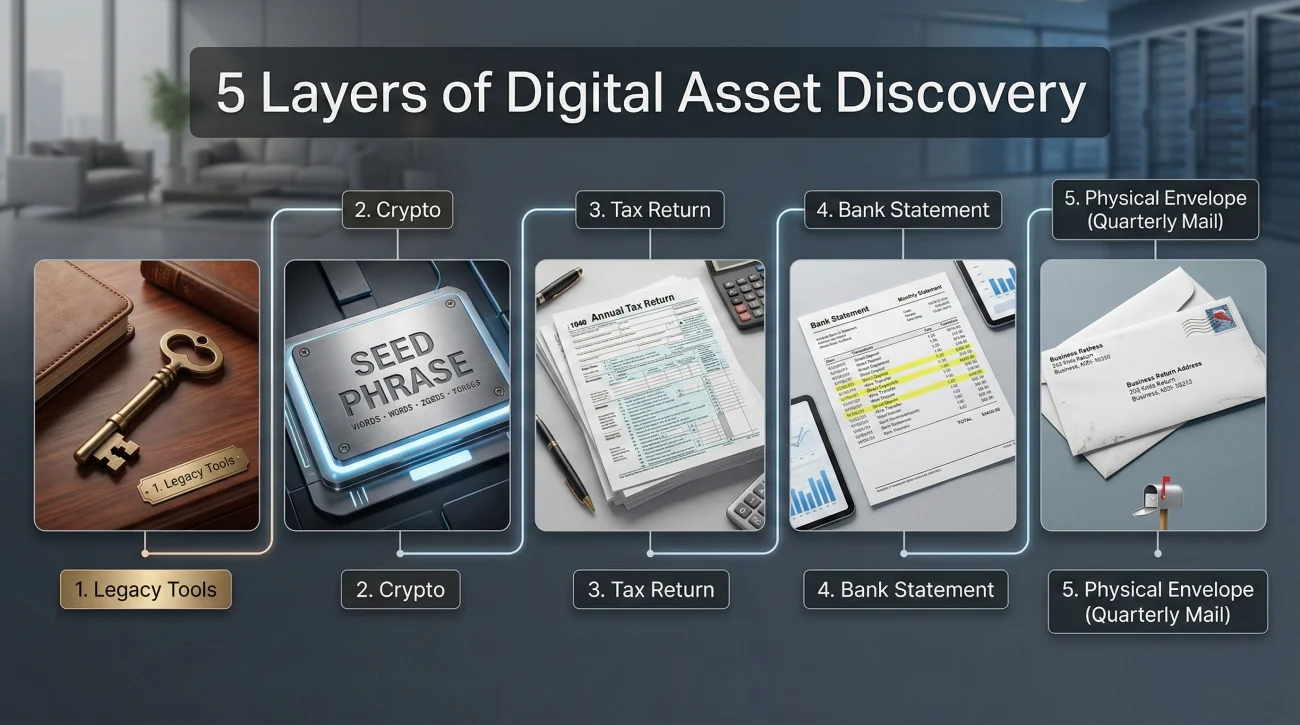
1. Check for Built-In Legacy Tools and Password Managers
Before hunting for individual accounts, check if the deceased person left a “master key.” Many people use password managers like 1Password, Bitwarden, or LastPass. These services often feature emergency access workflows that allow a trusted contact to request access after a waiting period. Additionally, check your own email inbox or ask close family members if they were ever designated as a Legacy Contact for Apple Digital Legacy or a trusted contact for Google’s Inactive Account Manager. If these were set up, your access path will be significantly easier.
2. Search Physically for Hardware Wallets and Seed Phrases
Cryptocurrency is the biggest blind spot in digital estates because self-custody wallets like Ledger or Trezor leave zero paper trail. There are no monthly statements or 1099 tax forms if the assets were never sold or staked. If you suspect the person owned crypto, you must physically search their desk, safe, and books for a “seed phrase.” This is usually a piece of paper or metal stamped with 12 or 24 random words. Institutions cannot help you recover this; if the seed phrase is lost, the asset is usually gone forever.
3. The Prior Year’s Tax Return
A completed tax return is your most reliable map. Schedules and 1099 forms will list interest, dividends, and retirement distributions. This is also where monetized digital properties show up. If the person ran a profitable YouTube channel, an Etsy shop, or an affiliate blog, those income streams should generate tax reporting documents. This tells you exactly which platforms to contact.
4. Transaction Histories in Known Accounts
If you have access to one physical bank statement, read every line item looking for automatic transfers. A monthly transfer out to a strange acronym might be an online savings account. A recurring charge to Apple or Google indicates cloud storage. Importantly, look for ongoing subscription liabilities. Auto-renewing charges for Patreon, Substack, or premium software will continue draining estate funds unless you identify and cancel them.
5. The Physical Mail (Wait for Quarterly Cycles)
Even “paperless” accounts often mail out annual privacy notices, proxy voting materials, or tax documents. Keep collecting the physical mail for at least three to four months. That generic-looking envelope might be the only clue you get about a digital-only asset.
⚠️ Warning: Never cancel the deceased person’s mobile phone service. Keep paying the bill. That phone number is tied to almost every 2FA system they used. When you finally get official permission to access or transfer accounts, the institution will often send a verification text to that exact number.
Communicating with Institutions About Locked Accounts
Once you have identified that a digital asset exists, you have to initiate contact. Because 2FA prevents you from using their standard online help portals, you will likely have to call or write a letter.
In my daily work, I see phone calls fail because the executor asks, “How do I log in?” The customer service representative hears a security risk. Instead, you need to shift the conversation to their official estate transition process.
Here is a script you can use to frame your request correctly. This avoids sounding like you are trying to bypass their security and clearly establishes your role.
Subject: Estate of [Name] – Request for Estate Transition Requirements
Hello,
I am the named executor for the estate of [Deceased Name]. They held a digital account with your institution.
Due to two-factor authentication and device locks, I cannot access the account directly, nor do I intend to bypass your security protocols.
Could you please provide your written requirements and a checklist of the official documents (such as court letters and death certificates) you need from me to securely identify the assets and transition this account into the estate’s name?
Thank you,
[Your Name]
Executor for the Estate of [Name]
[Your Contact Information]
By using a script like this, you trigger their legal or estate department’s workflow rather than their tech support workflow. Always ask for their requirements in writing. This ensures you do not waste time mailing the wrong documents.
If you are making these inquiries by phone, be sure to log every detail. I cannot overstress how important it is to use a reliable executor document tracker. Write down the date, the name of the representative, and exactly what they told you to send.
What Institutions Can and Cannot Do (Expectation Setting)
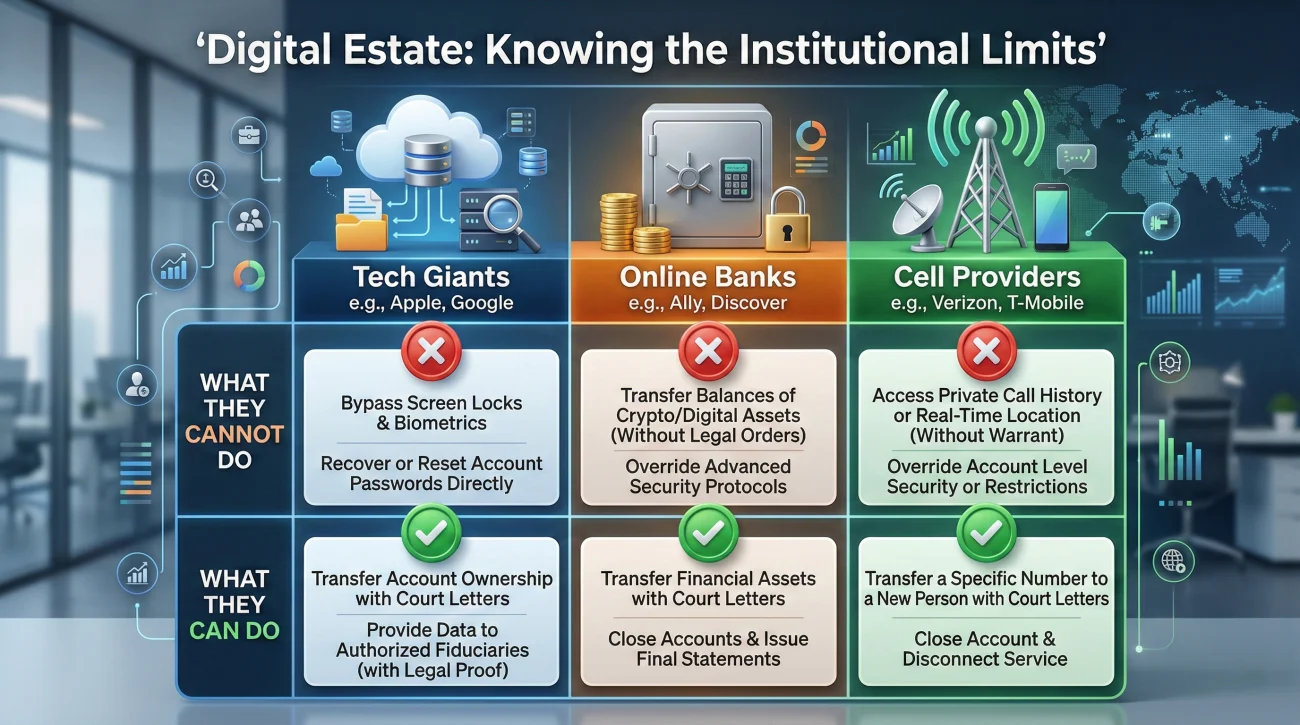
Beyond communication tactics, it helps to understand exactly what each type of institution is technically capable of. A lot of executor frustration comes from expecting a tech company to behave like a local bank branch.
| Institution Type | What They Usually Cannot Do | What They Usually Can Do (With Court Documents) |
|---|---|---|
| Tech Giants (Apple, Google) | Unlock the physical device for you or give you the PIN. | Provide access to cloud storage contents or transfer the account, often requiring a highly specific court order. |
| Online Banks / Brokerages | Send a 2FA code to a different phone number without heavy verification. | Freeze the account, stop auto-drafts, and eventually transfer the balance to an Estate Account. |
| Cell Phone Providers | Bypass the screen lock on the hardware. | Transfer the billing responsibility to you so the line stays active for 2FA receipt. |
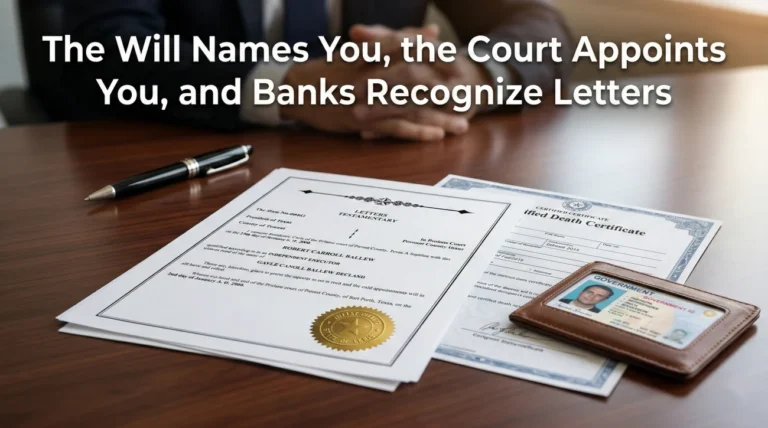
If you hit a wall where an institution demands a very specific court order just to reset a password or provide an inventory, do not try to fight them over the phone. Request their policy in writing. You will likely need to take that written policy to an estate professional to get the exact phrasing added to your court documents. This is a common part of the executor first steps in the modern digital age.
Final Thoughts on the Digital Lockbox
The transition from a paper world to a digital world has made the executor’s job fundamentally different. When you hold a locked smartphone, you are holding a safe that you do not have the combination to. But remember: you do not have to crack the safe on day one.
Focus on the paper trails that exist in the real world. Pay the cell phone bill to keep the line alive. And most importantly, do not attempt to bypass security measures by impersonating the person who passed away. By approaching the digital estate methodically, asking for written policies, and keeping meticulous logs, you will eventually gather the inventory you need without triggering fraud alerts or permanent lockouts. Stay calm, document everything, and take it one system at a time.
Sources
- Bryn Mawr Trust 2024 Survey: Consumer sentiment on digital asset protection vs. actual knowledge gaps.
- Kitces Report: Industry analysis citing the 44% advisor-conversation gap regarding digital estate planning.
❓ FAQ
📱 How do I get into a deceased person’s locked phone?
You generally cannot and should not try to guess the passcode or use biometric bypasses. Focus instead on contacting the service provider with your official court documents to gain lawful access to the cloud backups or accounts linked to the device.
💻 Can an executor use the deceased’s passwords to log in?
It is highly risky and almost always violates the institution’s Terms of Service. Logging in as the deceased can trigger fraud alerts, lock the accounts permanently, and create massive delays. Always use the official estate transition process.
🏦 What happens to bank accounts with 2FA if the phone is lost?
If the physical phone is gone, you will need to rely entirely on official estate documents (like court letters and a death certificate) to prove your authority to the bank. They will use their internal legal process to grant you access, bypassing the normal 2FA tech support route.
📧 How do executors access email accounts for estate business?
Major email providers have specific policies for deceased users. You must submit a request along with your court documents and the death certificate. Some providers may only grant a one-time download of the inbox rather than ongoing access.
🔐 Do I need a court order to bypass two-factor authentication?
In many cases, yes. Tech companies prioritize privacy heavily. If standard estate documents are not enough, they may require a specific court order explicitly compelling them to release the digital data to the executor.
🧾 How do I find digital assets without a password list?
Look for the paper trail. Review past tax returns for income from digital properties, check physical mail for annual statements, and scan bank checking account histories for subscription fees to cloud storage or online brokerages.
🛑 Will the phone company unlock a deceased person’s cell phone?
Phone carriers usually cannot bypass the screen lock created by the manufacturer (like Apple or Google). They can, however, transfer the billing of the phone number to the estate so you do not lose the line.
☎️ Should I keep the deceased’s cell phone plan active and the battery charged?
Absolutely. Canceling the phone plan is a common mistake. Keeping the line active and the phone powered ensures that once you have legal authority, you can receive the 2FA verification texts required to transfer online accounts.
📁 Are digital assets considered part of the probate estate?
Yes, assets held digitally (like online bank accounts, crypto, or monetized blogs) hold financial value and belong in the estate inventory, just like a physical bank account or a piece of real estate.
🔑 What if the deceased held cryptocurrency in a self-custody wallet?
You must physically locate their “seed phrase” (usually a list of 12 or 24 words on paper or metal). Without this phrase or the hardware wallet pin, customer service cannot help you, and the asset is generally unrecoverable.
⚠️ Disclosure: I'm not an attorney and nothing on this site is legal or tax advice. The content covers process, organization, and workflow—the operational side of estate administration. For legal interpretation, jurisdiction-specific deadlines, contested situations, or tax matters, please work with a licensed professional in your state.